Viewing a List of Blogs
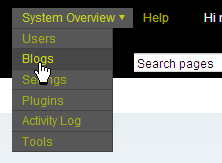
There are two ways to view a list of blogs in the system. First, you can click on “System Overview” in the upper left hand corner of Movable Type, and choose “Blogs” from the drop-down menu.
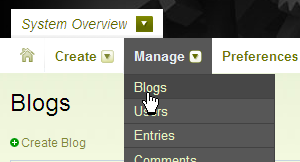
Alternatively, you can switch to the System Overview area of Movable Type by clicking on the blog selector and choosing System Overview. Once you’re in the System Overview area, you can click on Manage > Blogs from the main menu.
This will display the system’s Blog listing screen.
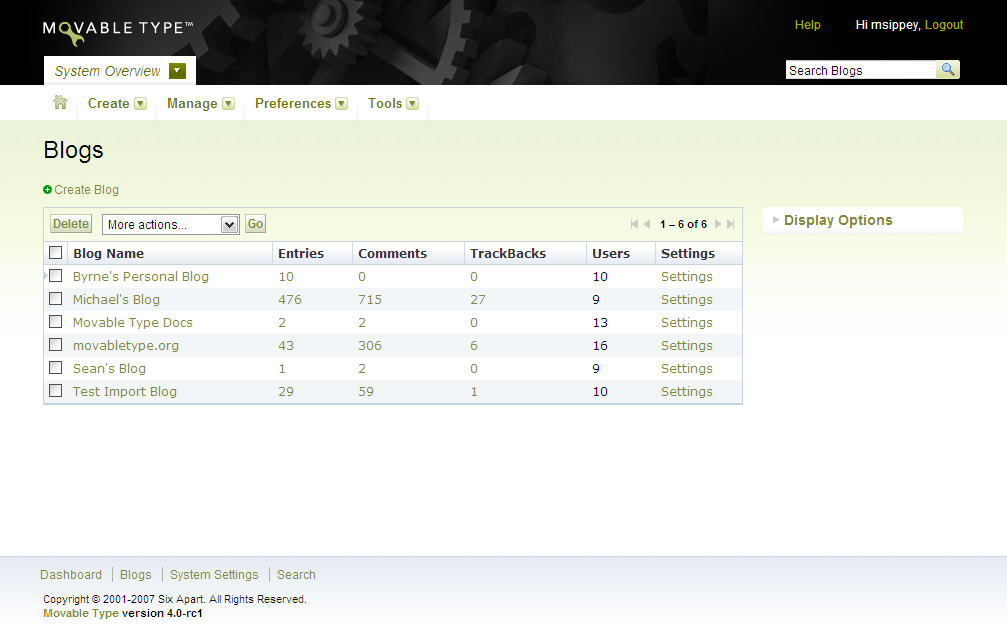
The blog listing screen will display the blog’s name; the number of entries, comments, TrackBacks and users associated with that blog; and a link to edit the settings of that blog.


ToniMueller on June 29, 2009, 4:22 a.m. 返信
How do I prevent other users from viewing the list of blogs in this installation, please?